
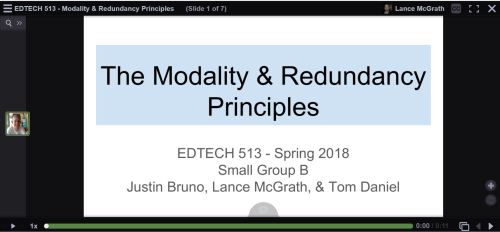
Follow this link to visit the VoiceThread presentation:
https://voicethread.com/app/player/?threadId=10508084
The past two weeks in EDTECH 513 we have been learning about more multimedia principles. Our class broke up into groups for some collaborative work. Each group was tasked with creating a Google Slides presentation, converting it to a PDF, uploading it to VoiceThread, and narrating the presentation. The final product is a multimedia presentation that adheres to the Modality Principle and the Redundancy Principles. Let’s unpack these terms a bit.
The creation of multimedia artifacts that are both visually appealing and pedagogically sound takes time and study. The ability to craft a compelling presentation is not something that happens magically or intuitively. Research-based multimedia principles offer substantial assistance in the development of expertly crafted multimedia content. Two such principles are the Modality Principle and the Redundancy Principles. The Modality Principle states that, when graphics are present, it is best to provide audio explanation rather than printed text. The Redundancy Principles take modality one step further and discourage the use of redundant information in the form of graphics/text/narration. This redundancy causes an overload of the learner’s cognitive channels. This understanding of cognition runs counter to the old wisdom grounded in “learning styles” which, in the case of a presentation, could lead to a potpourri of information with something for everyone: graphics/text/narration. Of course, there are exceptions to these rules, as there are with any stated regulations. In this case, the exceptions are known as boundary conditions. These exceptions come into play when there are no graphics, when the materials are slower or learner-paced, where there are technical terms, or when the on-screen text is genuinely shorter than the narration.
When I was in high school and college as an undergraduate student, learning styles provided the basis for many sound pedagogical practices. I was presented with many lectures that included lots of text (gotta deliver that content!), an abundance of graphics (because – Hey! – the kids like pretty pictures!), and narration (I’m the teacher. I have to do something). Far from helping me learn better, these practices served to create a lot of psychological noise for me. I would get lost between the graphics, on-screen (overhead) text, and the teacher’s voice. Sometimes the teacher would go off on tangents, thus making it especially hard to know what to attend to.
In the past, I have been guilty of trying to do too much with PowerPoints and other lecture material. I would fade graphics and use smaller fonts in order to cram as much onto a slide as I possibly could. More is better, right? It gives students the option to learn the way that works for them. The ol’ shotgun approach to information delivery. Oh, how wrong I was! Now that I have learned about the Modality Principle and the Redundancy Principles, I can appreciate the value having less on a slide brings to my students, pedagogically speaking. I have begun using less text and, with the text I do provide, I strive to reduce the text to the very essence of what the students need. The adoption of multimedia practices that adhere to these research-based and proven principles will greatly benefit my students.
The creation of this artifact meets AECT standards 1.2 – Message Design, 1.3 – Instructional Strategies, 2.2 – Audiovisual Strategies, and 2.3 – Computer-based Technologies. First, this artifact meets AECT Standard 1.2. As with the multimedia tutorial I created using HaikuDeck, we followed a systematic method in the creation of this presentation. My group collaborated on the draft of the presentation in a Google Doc and used email and commenting to work out the details. We selected images from stock files in order to communicate our message about the Modality and Redundancy Principles. We also relied on narration instead of text, instead using on-screen text in carefully controlled amounts. The result was a well-designed message that is aligned with research-based multimedia design principles. Second, regarding Standard 1.3, we utilized the instructional multimedia design principles of the Modality Principle and the Redundancy Principles, making sure to only violate these rules when appropriate based on a thorough evaluation of the relevant boundary conditions. Images were thoughtfully selected and used as the primary means of communication along with narration. Text on slides was kept to a minimum, except in the case of example slides. Third, Standard 2.2 was supported because of the use of audio and graphics to present a message that is based in solid multimedia research. Fourth, in support of Standard 2.3, we used Google Docs, Google Slides, and VoiceThread, all web-based software applications, to create the presentation. Finally, I distributed it by embedding it on my WordPress blog.
This activity also meets the revised AECT Standards 3.1 Creating, 3.2 Using, and 4.1 Collaborating. 3.1 Creating: Candidates create instructional design products based on learning principles and research-based best practices. I created a multimedia presentation that adhered to the Modality and Redundancy Principles. 3.2 Using: Candidates make professionally sound decisions in selecting appropriate processes and resources to provide optimal conditions for learning based on principles, theories, and effective practices. I used a draft process with my group that involved Google Docs and Slides. Once the drafts were finished, I created a PDF and uploaded it to VoiceThread so my group could add narration and finish the presentation. 4.1 Collaborative Practice: Candidates collaborate with their peers and subject matter experts to analyze learners, develop and design instruction, and evaluate its impact on learners. I collaborated effectively with my group members to analyze the needs of our anticipated learners, developed the instructional presentation that met multimedia design requirements. We also considered the impact our instructional materials, both content and design, would have on potential learners.
Until next time, keep reading!
-Lance


 Lance McGrath: EDTECH Learning Log