Category Archives: Uncategorized

Worked Example

The final assignment in my EDTECH 513 class on multimedia at Boise State University focused on creating a worked example video. A worked example is basically a How-To video that uses research-based multimedia methods to create an e-learning artifact. For my video, I chose to concentrate on a topic that comes up frequently in my interactions with students at the college at which I work: peer reviewed journal articles. Many students come to the college with a working knowledge of libraries. They know we have books they can borrow, probably some videos, and maybe some reference materials. Those same students, however, do not know much about journal literature and the special place it occupies in academia. With that in mind, I went about planning for and creating my video.

First, I thought about the face-to-face instruction I provide to students on the topic of peer reviewed journal literature. I run a series of short, drop-in style lessons during the school year called Bite Size Library Lessons. The lessons are designed to be delivered in under 30 minutes, with 15 minutes being the target. This leaves time to adequately cover the topic and leave time for conversation.

Next, I created a script based on the lesson plans and conversations that take place during a typical lesson.

Third, I created some PowerPoint slides to use in providing pretraining for students on the technical terms associated with the topic, especially the term “peer reviewed”. I also discussed the differences between databases and search engines in the pretraining portion of the video. In the pretraining section of the video, I followed best practices in multimedia development including the redundancy principle (I used limited text except for the discussion of technical terms) and the coherence principle (see the visuals displayed during the What Does Peer Reviewed mean?), and the personalization principle (I am visually present in the video and use personalized language. I also used music for the intro and outro, making sure that the music did not distract the learner from the content.).

Fourth, I recorded myself working through a search, applying filters and sorting results as I went along, and finally viewing a full text, peer reviewed journal article. I used Camtasia for the creation of the video and used some of the callout features as appropriate.

By creating this worked example artifact I have demonstrated competence in AECT Standards 3.1 – Creating and 3.2 Using.  As to standard 3.1, I created a worked example video in compliance with multimedia instruction principles and research-based best practices, including adhering to the redundancy, coherence, and personalization principles. As to standard 3.2, made sound professional decisions regarding the selection of appropriate processes and resources to use in providing conditions that optimized the learning potential of this worked example artifact. I considered the learning objectives I wanted to communicate to learners, determined the best way to deliver the lesson using an approach that was solidly grounded in current multimedia theory practices.


Leave a comment

Filed under 3.1 Creating, 3.2 Using, Standard 3: Learning Environments, Uncategorized

The Personalization Principle

Link to video

Link to video with a lesson

Thus far in EDTECH 513 – Multimedia, the class has focused on how to create messages using multimedia that provide meaningful visual messages and leverage modalities of information acquisition, primarily sight and audition, for the creation of effective learning artifacts. The Personalization Principle, as described by Clark & Mayer, provides a means for further customizing elearning materials to the needs of specific groups of students or a single student, depending on the situation.

What is the Personalization Principle? It is a tripartite principle that seeks to bring the human into elearning environments.

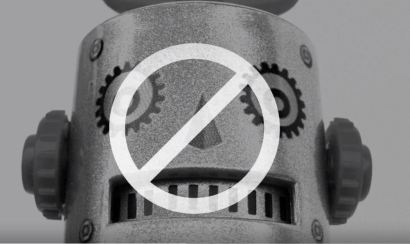
conversationFirst, this personalization is achieved by promoting the use of an informal communication style and a friendly human voice in elearning. According to this tenet, instructors should strive to provide a casual communication style that is balanced with professionalism. It should be neither so casual that students fail to take the class seriously nor so formal that they feel utterly disconnected from the human instructor. Voice quality and politeness, suggesting rather than stating, for example, is also strongly supported by research. It is also important to avoid sounding monotone or robotic, as this offers a much less engaging learning environment. People prefer other people. The literature also suggests that standard accents promote learning more so than foreign accents.

robo

Avoid sounding robotic.

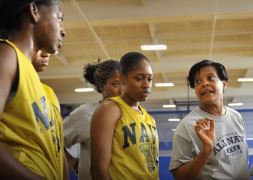
coachThe second tenet of personalization is the use of on-screen coaches to engage students and help facilitate learning. These coaches do not need to be human. Nor do they have to be animated. Coaches can look like people, or they can take the form of animated objects or fantastical creatures. The most important factor to keep in mind is what will work best for the learners. Once again, make sure the “voice” of the coach, either written or spoken, is authentic. The point is to offer an interaction opportunity with a genuine conversational quality.

The third and final tenet of the Personalization Principle is support for author visibility. In many cases, writers of educational material are encouraged to be invisible and stay out of the learner’s access to the content. However, research into personalization has revealed that a visible author provides a distinct benefit to student learning. Authors of elearning materials can reveal themselves by using an interview style instead of reporting information or by including themselves in examples. This is similar to using “I” statements in a physical classroom as you work through a live problem or activity. I do this regularly in my library instruction classes. “When I conduct a search and I do not see the results I expect, here is what I do…” is a very common thing for me to say.

As I worked through the assignment, I made sure to follow the other multimedia principles I have learned about this semester. For example, I adhered to the Redundancy Principle by keeping extraneous text to a minimum, opting instead to use still images and let the text already present in the images suffice.

There are some open questions that remain concerning personalization, but we do know that personalization helps students engage more deeply with elearning courses.

As far as this particular assignment, we were tasked with creating a digital storytelling artifact. However, since the assignment was rather flexible, I chose to create two digital stories: one lesson and one personal. The lesson teaches the Personalization Principle explicitly while following the tenets established in the principle itself and the personal story is the story of how I came to be an academic librarian. The story is mostly complete, but that is understandable given the three minute duration limit for the assignment. I will continue to develop my digital storytelling skills and incorporate this powerful tool for elearning into my role as an academic librarian.

By completing this activity I have demonstrated an understanding of and have met AECT Standards 3.1- Creating and 3.2-Using.  As for Standard 3.1 – I created a digital story wherein I presented content that was presented in a personalize (informal/casual) manner in alignment with Meyer’s description of the Personalization Principle.

As for Standard 3.2 – I created a script, researched and selected images, and learned how to use software that provided the optimal conditions for learning based on principles, theories and effective practices.

Reference:
Clark, R. C., & Mayer, R. E. (2016). E-learning and the science of instruction: Proven guidelines for consumers and designers of multimedia learning.

Leave a comment

Filed under 3.1 Creating, 3.2 Using, Standard 3: Learning Environments, Uncategorized

Coherence Analysis

Here is a link to view the original Google Doc.

One of the course activities in EDTECH 513 – Multimedia requires learning about and demonstrating working knowledge of the Coherence Principle. This is achieved through the process of conducting a coherence analysis on at least one multimedia e-learning artifact that is not in compliance with the Coherence Principle and then rendering a revised and compliant version of one of the artifacts.  First, it is important to understand what the Coherence Principle is and how a coherence analysis is conducted.

The Coherence Principle, as it relates to multimedia, states that “information in the form of added text, added graphics, and background sound” should not be included in e-learning artifacts (Clark & Mayer, 2016, p. 152). This means all of the swirling transition effects, sweet graphics, and boing-boing sound effects that are available to dress up any mundane PowerPoint are, for the most part, forbidden in the interest of creating e-learning materials that are truly supportive learner success. A coherence analysis is the process of evaluating an e-learning presentation to determine if its design aligns with the requirements of the of the Coherence Principle concerning extraneous or unrelated text, graphics, or sound.

My daughter, K, is in elementary school. She is an inquisitive child and always full of questions. Lately, she has been very interested in anatomy, especially the human eye. Because of this curiosity about the human body, I have spent a lot of time looking at resources about eyeballs.  It should come as no surprise, then, that I decided to conduct a coherence analysis on e-learning artifacts on the human eye.

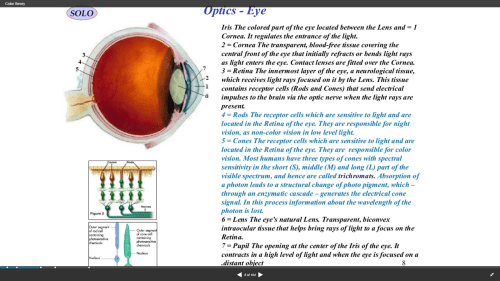
I analyzed two artifacts that provided information about the human eye: one animated video and one static slide from a SlideShare presentation. The subject matter was the main connection between the two artifacts, not the presentation style. As the father of a young learner I wanted to investigate an artifact aimed at children and, as an academic librarian, one aimed at older learners.  The animated video was directed at young learners. It contained many violations of the Coherence Principle in the form of extraneous graphics, distracting animations, background music, and unnecessary text. The static slide was slightly better. The violations present on the slide pertained to extraneous text and complex graphics where simple graphics would have produced less visual noise for the learner. Here is the original static slide.

Screenshot 2018-03-16 10.17.59

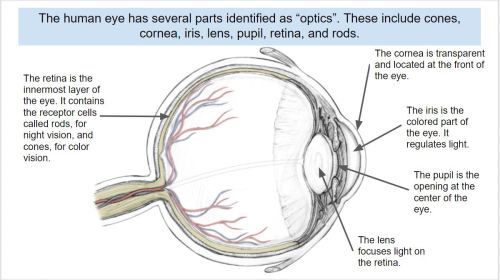
I revised the static slide in order to make it compliant with the Coherence Principle. I limited the text, reduced the number of graphics, and used a simpler graphic to represent the eye. Additionally, the revised text was added in alignment with the Contiguity Principle, which states that text should be placed near related graphics. Here is the revised slide.

Coherence Theory compliant

The exercise was very beneficial to expanding my understanding of the Coherence Principle. I also enjoyed deconstructing an artifact and making improvements to it that enhance its usefulness to learners.

The creation of this artifact meets AECT standards 1.2 – Message Design, 1.3 – Instructional Strategies, and AECT Revised standard 1.3 Assessing/Evaluating.  I demonstrated competence in the area of message design by analyzing existing e-learning artifacts, deconstructing them, and revising them to meet learner needs according to research-based principles. Additionally, the activity required me to consider the appropriate instructional strategies to use in delivering e-learning content to learners. Finally, the process of conducting a Coherence Analysis and revising the static slide provided me with the opportunity to effectively integrate the e-learning materials into a Google Document for distribution to learners.

Until next time, keep reading!

Best,
Lance

4 Comments

Filed under 1.3 Assessing/Evaluating, Standard 1: Content Knowledge, Uncategorized

Narrated Presentation

VoiceThread

Follow this link to visit the VoiceThread presentation:
https://voicethread.com/app/player/?threadId=10508084

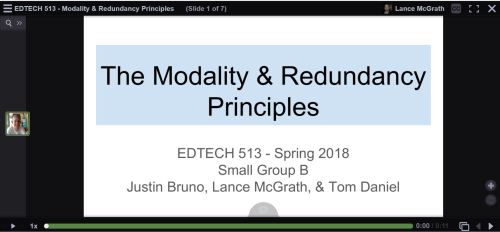
The past two weeks in EDTECH 513 we have been learning about more multimedia principles. Our class broke up into groups for some collaborative work. Each group was tasked with creating a Google Slides presentation, converting it to a PDF, uploading it to VoiceThread, and narrating the presentation. The final product is a multimedia presentation that adheres to the Modality Principle and the Redundancy Principles. Let’s unpack these terms a bit.

The creation of multimedia artifacts that are both visually appealing and pedagogically sound takes time and study. The ability to craft a compelling presentation is not something that happens magically or intuitively. Research-based multimedia principles offer substantial assistance in the development of expertly crafted multimedia content. Two such principles are the Modality Principle and the Redundancy Principles. The Modality Principle states that, when graphics are present, it is best to provide audio explanation rather than printed text. The Redundancy Principles take modality one step further and discourage the use of redundant information in the form of graphics/text/narration. This redundancy causes an overload of the learner’s cognitive channels. This understanding of cognition runs counter to the old wisdom grounded in “learning styles” which, in the case of a presentation, could lead to a potpourri of information with something for everyone: graphics/text/narration. Of course, there are exceptions to these rules, as there are with any stated regulations. In this case, the exceptions are known as boundary conditions.  These exceptions come into play when there are no graphics, when the materials are slower or learner-paced, where there are technical terms, or when the on-screen text is genuinely shorter than the narration.

When I was in high school and college as an undergraduate student, learning styles provided the basis for many sound pedagogical practices. I was presented with many lectures that included lots of text (gotta deliver that content!), an abundance of graphics (because – Hey! – the kids like pretty pictures!), and narration (I’m the teacher. I have to do something). Far from helping me learn better, these practices served to create a lot of psychological noise for me. I would get lost between the graphics, on-screen (overhead) text, and the teacher’s voice. Sometimes the teacher would go off on tangents, thus making it especially hard to know what to attend to.

In the past, I have been guilty of trying to do too much with PowerPoints and other lecture material. I would fade graphics and use smaller fonts in order to cram as much onto a slide as I possibly could. More is better, right? It gives students the option to learn the way that works for them. The ol’ shotgun approach to information delivery. Oh, how wrong I was! Now that I have learned about the Modality Principle and the Redundancy Principles, I can appreciate the value having less on a slide brings to my students, pedagogically speaking. I have begun using less text and, with the text I do provide, I strive to reduce the text to the very essence of what the students need. The adoption of multimedia practices that adhere to these research-based and proven principles will greatly benefit my students.

The creation of this artifact meets AECT standards 1.2 – Message Design, 1.3 – Instructional Strategies, 2.2 – Audiovisual Strategies, and 2.3 – Computer-based Technologies. First, this artifact meets AECT Standard 1.2. As with the multimedia tutorial I created using HaikuDeck, we followed a systematic method in the creation of this presentation. My group collaborated on the draft of the presentation in a Google Doc and used email and commenting to work out the details. We selected images from stock files in order to communicate our message about the Modality and Redundancy Principles.  We also relied on narration instead of text, instead using on-screen text in carefully controlled amounts. The result was a well-designed message that is aligned with research-based multimedia design principles.  Second, regarding Standard 1.3, we utilized the instructional multimedia design principles of the Modality Principle and the Redundancy Principles, making sure to only violate these rules when appropriate based on a thorough evaluation of the relevant boundary conditions. Images were thoughtfully selected and used as the primary means of communication along with narration.  Text on slides was kept to a minimum, except in the case of example slides. Third, Standard 2.2 was supported because of the use of audio and graphics to present a message that is based in solid multimedia research. Fourth, in support of Standard 2.3, we used Google Docs, Google Slides, and VoiceThread, all web-based software applications, to create the presentation. Finally, I distributed it by embedding it on my WordPress blog.

This activity also meets the revised AECT Standards 3.1 Creating, 3.2 Using, and 4.1 Collaborating. 3.1 Creating: Candidates create instructional design products based on learning principles and research-based best practices. I created a multimedia presentation that adhered to the Modality and Redundancy Principles. 3.2 Using: Candidates make professionally sound decisions in selecting appropriate processes and resources to provide optimal conditions for learning based on principles, theories, and effective practices. I used a draft process with my group that involved Google Docs and Slides. Once the drafts were finished, I created a PDF and uploaded it to VoiceThread so my group could add narration and finish the presentation.  4.1 Collaborative Practice: Candidates collaborate with their peers and subject matter experts to analyze learners, develop and design instruction, and evaluate its impact on learners. I collaborated effectively with my group members to analyze the needs of our anticipated learners, developed the instructional presentation that met multimedia design requirements. We also considered the impact our instructional materials, both content and design, would have on potential learners.

Until next time, keep reading!

-Lance


Leave a comment

Filed under 3.1 Creating, 3.2 Using, 4.1 Collaborative Practice, Uncategorized

HaikuDeck Artifact

Screenshot of the title page for a Haiku Deck presentation for Cruzen Murray Library

Haiku Deck presentation for the Cruzen-Murray Library at The College of Idaho

Follow the link below to view the Haiku Deck:

This week in EDTECH 513 we explored Haiku Deck. For those unfamiliar, Haiku Deck is a browser-based presentation tool similar to PowerPoint or Google Slides. The upside to Haiku Deck is that the amount of text that can be placed on a slide is limited. “Madness!” you say, “I want to be overwhelmed by volumes of text and placed in a PowerPoint coma!” Yes, I understand. Some might consider this a downside, but there is a definite positive effect inherent in this method. The power of visual communication is allowed to exercise its strength. This is the multimedia principle in very lean form. The images are allowed to communicate the core message. Text is given a space on the side bar. Words are still present, but they are not granted the prime real estate normally reserved them on the printed page.

It was a real pleasure to work on this particular class activity. I was provided with an opportunity to share information about an absolutely incredible new building on the campus of The College of Idaho: The Cruzen-Murray Library. (My new work home!) After a year of construction, the library just opened a few weeks ago at the beginning of February. The Haiku Deck platform provided a perfect digital platform to showcase both the library itself and the ideas behind its form and function. The alignment of class application and need for an expressive outlet could not have come together more seamlessly for me.

The project provided more evidence to me, as an educator and communicator, of the power of multimedia to deliver a message. Images, in collaboration with appropriately placed text, are incredibly powerful communication devices. I am excited to continue to learn more ways of applying the multimedia principle in all of the materials I develop – from handouts to presentations.

The creation of this artifact meets AECT standards 1.2 – Message Design, 1.3 – Instructional Strategies, and 2.3 – Computer-based Technologies. First, this artifact meets AECT Standard 1.2. As with the static multimedia tutorial I created using the (almost) defunct Clarify-it I followed a systematic method in the creation of this presentation. The images were carefully curated from personal and stock images in order to tell the story of the Cruzen-Murray Library and deliver a well-designed message that is aligned with the research-based multimedia design principle.  Second, regarding Standard 1.3, I utilized the instructional multimedia design principles of the contiguity principle and the chunking principle. Images were placed in positions of primary focus and words which conveyed core ideas were superimposed on the images in legible fonts in a contrasting color. Supporting text was placed in the appropriate section for speaker notes. Text on slides was kept to a minimum. Third, in support of Standard 2.3, I used HaikuDeck, a web-based software application to create the presentation and distributed it by embedding it on my WordPress blog. The presentation is ready for sharing with others in a formal presentation or at the viewers leisure via the Internet.

Thanks for reading!

-Lance

Leave a comment

Filed under 3.1 Creating, 3.2 Using, Uncategorized

Static Multimedia Tutorial

This week in EDTECH 513 – Multimedia, we were tasked with creating a static multimedia tutorial on the topic of our choosing. What is a static multimedia tutorial? Doesn’t multimedia mean sound and movement? I am glad you asked! A static multimedia tutorial is a tutorial that incorporates multimedia principles such as the use of images along with text designed in compliance with research-based design standards such as the contiguity principle. The contiguity principle states that words should be aligned with corresponding graphics. Legends that sit off to the side, away from associated graphics, for example, should not be used. Here is a great article from Moreno and Mayer about the contiguity principle (PDF).

I am an academic librarian, so the static multimedia tutorial I chose to create was library related. We receive lots of questions from new students on how to use the library. Many students come to college having used a high school library that was not supported by a modern library management system (LMS) or a public library system that was both organized using the Dewey Decimal System (we use Library of Congress) and a different LMS geared more towards public libraries. In the interest of serving the students better, I decided a basic, introductory tutorial of just seven steps would be useful. The learning objective for the tutorial is straightforward: “After following the steps in this tutorial, learners will be able to construct a search for book records in the library catalog and analyze the search results to determine a book’s owning library, format, location, availability, and call number.

I used Clarify-it to grab the screenshots and create the step-by-step instructions. The process I followed was the same one I have used to create static tutorials in the past. First, I determined the learning outcome for the tutorial. Second, I worked through the steps and documented each one. Third, I wrote down instructions for each step. Then I opened Clarify-it, formatted the pages, and started harvesting and adding screenshots. After adding the screenshots, I added strategically placed call-out boxes and arrows to draw attention to important sections of the screen. I kept instructional text close to the images (within the call-out boxes and near or connected to arrows pointing to targeted text and webpage icons).  Due to page layout, I had to place call-out boxes further from the targeted sections than I would have liked, but the design made sense given the constraints of the source material. The process was similar to using the screenshot function in Jing, SnagIt, or other screengrabbing software. I have used static tutorials in the past for library instruction, but moved away from them in favor of screencasts. I can understand the appeal of a static multimedia tutorial (no need to pause a video and continue, for example) and think I will make more of them to place on our library’s libguides for students and faculty.

Clarify-it was easy to use and had a decent set of features. I would use it again. Unfortunately, the developers of Clarify-it have decided to sunset the product in favor of pursuing other opportunities. I will need to find another application to use for creating static tutorials. I really do not want to go back to using Word or PowerPoint.

The creation of this artifact meets AECT standards 1.2 – Message Design, 1.3 – Instructional Strategies, and 2.3 – Computer-based Technologies. First, as to Standard 1.2, I followed a systematized method for creating a static multimedia tutorial artifact that can and will be used by students in learning how to successfully use the library catalog. The message was designed in accordance with the contiguity principle, which is a research-based multimedia design principle. Second, as to Standard 1.3, I utilized appropriate instructional multimedia design principles, most notably the contiguity principle and chunking principle. Third, as to Standard 2.3, I used Clarify-it, a web-based software application to create the tutorial and convert it to a PDF. I then uploaded the PDF to a shared Google Drive, set the sharing option to “Anyone with link can view”, and grabbed the embed code to make it accessible via my WordPress blog. The tutorial is ready for incorporation on the library libguides and for formal instruction with students.

Thanks for reading!

Best,
Lance


2 Comments

Filed under 3.1 Creating, 3.2 Using, Uncategorized

Try this on for size: Online teaching and the adult learner


(Public domain vintage painting of people working in a tailors shop. http://www.publicdomainpictures.net/view-image.php?image=76581  CC0 License.)


Education is not a “one size fits all” enterprise. There is a lot of customization that takes place. Such is the case with adult learners. During the course of the fall semester, I have been challenged to think about online education for adult learners in my EDTECH 522 class from Boise State University. I learned about best practices in adult learning and andragogy, the study of the methods and principles used in teaching adults, which gained popularity because of the work of Knowles.  Wikipedia has a good entry on this topic. You can read more about it here. I also spent a lot of time working with various technologies, evaluating them for use in online educational settings for adults, and exploring their use through the creation of practical artifacts. I also took time to actively and deeply reflect on my experiences in using these technologies and the impact they had on me as an educator. You can read my other blog posts here: “Mine” place? Or Yours?”   If you build it, will they learn?  Agency and Persistence in Online Education. It has been a rewarding educational journey so far, with time to consider to essential questions concerning my own ideas about teaching adults in online environments related to the literature.

My thoughts in this post turn to two specific questions. First, “What technological knowledge have you learned in this course? What pedagogical knowledge have you learned in this course?” I have gained a substantial amount of knowledge about technology, both about technology itself and its application in educational settings, during this course. I learned how to evaluate online courses using established course rubrics such as the one developed by Quality Matters. Through using this course assessment tool, I have learned how to create my own rubrics for analyzing and evaluating online courses. I used Camtasia  for video editing and created a rich media tutorial. (I have used SnagIt, another Techsmith product. It is basically Camtasia-Lite. I used it to record screencasts, but I never did much post-production editing.) With this knowledge and experience, I will be able to make video tutorials for students that are interesting and engaging, as well as educational. I also used Canvas, a Learning Management System, or LMS (by Instructure), to develop a fully online, robust, multi-module course on copyright issues in higher education for college professors. It is fair to say that I picked up a lot of technological knowledge.

What about pedagogical knowledge? Again, the learning experience for me was rich and rewarding. I learned about andragogy, as mentioned above, the methods and principles used in teaching adults. My professional background is technical and subject specific. I have a high-tech background and was trained as a professional librarian in a Master of Science program. I do not have a teaching certificate. My one formal opportunity to learn about “teaching methods” came from an Educational Psychology class I took in college over 25 years ago. That class was focused primarily on K-12 education, so the main concepts taught had pedagogical (the teaching of children/adolescents) concerns. It was exciting for me to rediscover the research behind learning theory. I was especially impressed by the subtle differences between pedagogy and andragogy and the specific needs that adult learners have. I plan on providing learning activities that are engaging and authentic. The readings from Stavredes, especially those concerning the persistence of adult learners in online environments, were fascinating and encouraged me to build empathy for my students and to work to express that care in online communications.

The second question is this: “Explain how your learning in this course will make an impact on your current or future work. Will any artifacts you created be shared with your students or colleagues?”  The learning I have experienced in this course has already had a positive impact on my current work. I expect it will continue to have an impact in the future. Currently, I am working to polish the copyright crash course for college professors so I can deploy it on our campuses instance of Canvas. I intend to use it for new faculty orientation and as a refresher course for current faculty. I plan on making a formal proposal to the VPAA/Dean of the Faculty at my college with a recommendation that the course be included as part of the continuing education materials for the faculty. I also plan on using what I have learned to develop a copyright course/library orientation for students that is a blended course (one which has both a physical classroom and online component). We will move into a new library with a dedicated library teaching lab and abundant technology in the spring. I plan to use the space for inaugural instruction sessions using the course I created. My strategy will be to use the online course to create a Community of Inquiry that expands beyond Canvas into the physical space on campus and beyond.

In addition to learning how to use Canvas for online course delivery, I also learned how to use other online tools that can be used to populate courses with customized content. For example, I learned about Quizlet. I know, Quizlet? Really?? That’s old news. Perhaps it is old news to all of the K-12 folks out there, but I had not heard of Quizlet until this course. I was exposed to a whole new world of online assessment because of this class. I expanded my learning by exploring other online quizzing tools such as Socrative, Quizizz, and Mentimeter. I will be working with these tools to design formative assessment tools that I can use when delivering both face-to-face and online library instruction. It is pretty exciting!

Overall, I really enjoyed my learning experience in EDTECH 522. The student-student interaction was lively, challenging, and supportive. I learned new material and learned how to use old tools in a new way.  I look forward to using my newly acquired knowledge to help others learn and grow in the digital realm. One size definitely does not fit all, but with proper knowledge and planning, I am confident that I can create and support online learning environments for adults where they can learn and grow.


References:

Stavredes, T. (2011). Effective Online Teaching: Foundations and Strategies for Student Success. San Francisco: Jossey-Bass.

Leave a comment

Filed under 4.3 Reflection on Practice, Uncategorized

If you build it, will they learn?

https://upload.wikimedia.org/wikipedia/commons/c/c1/Kaufman_field.jpg
(Kaufman Field, Evan Featherolf. www.upload.wikimedia.org/wikipedia/commons/c/c1/kaufman_field.jpg)

Allow me to be honest: I am not much of a baseball fan. I know, know. How can I be a true, All-American male if I do not have a love for America’s game? Beats me. I tried playing baseball when I was a kid.  My parents put me in both tee ball and Little League. I wanted so bad to be a hitter. Or a catcher. Something. I ended up being coached to just look tough and not swing at the ball. Oh, and I got to play left field. A lot. I just wasn’t cut out to be a big league slugger. That did not stop me from enjoying the game from time to time. I have been known to take my boys to more than a few bush league games and to watch the World Series. It also did not keep me from developing an appreciation for baseball in popular culture. Take the film Field of Dreams. The quotes from this 1989 Kevin Costner vehicle stick with me. The most famous of these quotes is most likely, “If you build it, he will come.” This quote came to me while I was reflecting on my latest EDTECH522 project, the development of an online lesson.  My mind worked on that phrase and turned it into “If you build it, will they learn?”

The question, you will notice, is not “If you build it, will they come?” because they most certainly will come. A report released in 2015 by Learning House found that, of the 18.6 million students enrolled in college in 2015, around 5.5 million were studying online to some extent, either fully or partially (page 5). That equates to roughly 30% of college students. That is just college students. This number does not take into account the number of high school students enrolled in online courses via concurrent credit or dual-enrollment. The students are most definitely coming to online education. But are they learning? And how can I, as an educator with training in the design and delivery of online education, facilitate the learning process?

These are some questions that I found myself facing as I reflected on my experience in designing and creating my online course. I utilized ideas from the readings in my EDTECH 522 class to help formulate a plan to develop the course. First, I considered a topic that I had good reason to believe would be of interest to adult learners. I talked to my coworkers and settled on a class on copyright for faculty at the school where I work. It is an area that is complex and in constant flux. It is also a topic of high interest among the members of the faculty.

The second concern was making sure that I ensured the learners would be successful in engaging with the material. I utilized techniques that would create a high degree of presence in the class. This included deliberate measures to facilitate student-content, student-student, and student-instructor presence. In order to foster interaction with the content, I created authentic assignments that encouraged students to actively play with the course material. I provided students with the opportunity to create artifacts with Web 2.0 tools they could use with their students later on (virtual magazine covers on public domain and an electronic poster on copyright factors).  I came back to readings from Stavredes on building a community of inquiry.  I also provided multimedia content to encourage engagement with the course content. I took guidance from Baldwin & Ching and incorporated graphics and pacing to draw students into a learning story. The modules were possibly not a pure form of “interactive storytelling.” However, I drew inspiration from their writing nonetheless.

Third, I used what I have learned about rich media tutorials to create effective and engaging instructional videos for the class. I took guidance from Ruffini and created a personalized PowToon animated video introduction to the course.  The video helped to establish my presence in the class as the instructor and to begin building toward a community of shared inquiry. I also employed other strategies to engage the students in the course. Class discussions provided for the students to build social and cognitive presence. The course is neatly organized and humanely paced in order to allow adequate time to process concepts, interact with other learners, and engage with the instructor.  I also followed the visual design principles of CARP (contrast, alignment, repetition, and proximity) in order to create a welcoming and accessible learning environment. One major decision I made early on was the choice to use Canvas instead of Moodle. The school at which I work uses Canvas exclusively, so I knew it would be important to use the learning management system with which the learners would be most familiar and expect to use in the future.

The most difficult challenge I encountered while creating this course was keeping the technology from getting in the way of the learner. Every design decision I made had kept the learner at the center. I constantly asked myself, “How will this decision help the learner achieve the course learning objectives?” While this was a very real challenge, the focus on the learner also kept me from getting distracted by the bells and whistles of technology.  The one problem I ran into was a small irritation: Canvas kept trying to automatically embed a YouTube video that the rights holder had disabled so that it could not be embedded.  I checked the customer support area for Instructure/Canvas and found the answer I needed right away. Canvas was very easy to use. To be honest, I experienced very few problems.

I have taken many online classes over the years, going back to 2003. During that time, online education has changed dramatically. The development of Web 2.0 tools has been a huge boon to those involved in online education and I have been in the thick on online education the whole time. That said, I have never created an online class from scratch before.  It was an enlightening experience. There is a great degree of planning that has to take place prior to course launch. The online environment does not allow for on-the-fly adjustment and winging it that can take place in a face-to-face classroom. Prepare. Prepare. Prepare. And then prepare some more. This led to the most rewarding aspect of the project, which was receiving positive feedback from classmates who reviewed the course. Receiving critical feedback that affirmed my design choices and course content was incredibly fulfilling.

So, I can build it. And, if I continue to use sound andragogical principles and instructional strategies, the students will learn. And that is a home run.


References:

Baldwin, S., & Ching, Y. (2016). 5 Features to turn your online course into interactive storytelling. eLearning Industry.com.  https://elearningindustry.com/5-features-turn-online-course-interactive-storytelling

Clinefelter, D. L., & Aslania, C. B. (2015). Online college students 2015: Comprehensive data on demands and preferences. Louisville, KY: The Learning House, Inc.

Ruffini, M. (n.d.). Screencasting to Engage Learning. EDUCAUSE Review online. http://er.educause.edu/articles/2012/11/screencasting-to-engage-learning

Stavredes, T. (2011). Effective online teaching: Foundations and strategies for student success. Jossey-Bass.

2 Comments

Filed under 4.3 Reflection on Practice, Uncategorized

EDTECH 522 Reading Reflection: Agency and Persistence in Online Education

Persistence
Image credit: Flickr user bdunnette. Creative Commons license.

Agency and Persistence in Online Education

The following post addresses to topics from my EDTECH 522: Online Teaching for Adult Learners class. The interconnected topics are:

  1. Where are you on the Grow’s Staged Self-Directed Learning Model described in Ch. 2 of Stavredes? What is the implication of this model for you as an online teacher?
  2. Discuss challenges that affect learners’ persistence in online course and relate these challenges to your own online teaching or learning experiences.

Persistence. As a resident of the Intermountain West, this term conjures up images of rugged mountain men, pioneers in wagon trains, and roughnecked railroad workers. These are the men and women who built the cities in which we currently live. As a parent, persistence reminds me of my children and the time they spend learning new skills. Whether it is getting that coloring page just right, or stacking the block tower just a tad bit higher, or playing that video game level one more time in order to beat the boss at the end, these all exemplify persistence. Persistence is also found in schools, where students are presented with professionally crafted learning opportunities designed to stimulate the brain and foster academic growth. These opportunities can present very real challenges for students as they grapple with the material, especially if they are more authentic in nature. In a face to face classroom, when the going gets tough, the student can seek help from the teacher or aide, who can, by their physical presence provide an immediate sense of support and encourage the student to persist. In an online environment, the challenge to persist can be much more difficult. In a 2016 report for the American Society for Engineering Education, Ferdousi references persistence and retention statistics between undergraduates in traditional classes versus those in online classes. According to the research, the “student dropout rate for online undergraduates ranges from 20% to 50%, which is 10% to 20% higher than traditional classroom environments” (2). How can we understand student behavior and support them? It will help to reflect on my own personal development as a learner as I consider my role as an instructor in online learning.

One factor that affects student persistence in online learning environments is a student’s development along Grow’s Staged Self-Directed Learning Model (SSDL). Grow’s proposed model presents four levels of self-direction which can be influenced by instructors in order help students develop through the stages and become more self-directed learners. Stavredes provides a detailed explanation of the SSDL model in the book Effective Online Teaching: Foundations and Strategies for Student Success. The stages of SSDL are 1) Dependent learner; 2) Interested learner; 3) Involved learner; 4) Self-directed learner. Each stage represents the amount of instructor support required by the learner. As the learner develops more agency, the need for instructor diminishes. At the Dependent learner stage, for example, the learner “has little prior knowledge in the subject, is unsure of the focus of his or her learning, and has low self-confidence and motivation” (15). At this stage, the instructor is regarded with high authority. As the learner moves to the second stage, the interest in learning increases even though prior knowledge remains relatively low. The instructor assumes a role as more of a motivator through the learning process. As the learner moves to the third stage, the instructor’s influence lessens further, while student autonomy grows. In the fourth stage, the student has developed skill and knowledge in the content area, and is confident, motivated, and capable. The instructor role evolves into one of consultant or course guide (16-17).

So where am I on along Grow’s SSDL model? In the area of online teaching and learning, I rank myself solidly in the fourth stage of development. I am a self-directed learner. I have been taking online classes off and on since 2003. I successfully completed a fully online master of science degree in library science in 2006. In 2005, when I started my first job as an academic librarian, I began supporting students in fully online programs across multiple disciplines (MSW, MBA, Religion, and Education, to start). I received mentoring from a skilled Instructional Designer and Educational Technology Director. In time, I was invited to a seat on the E-learning Committee, where we evaluated programs and initiatives. I worked my way up the higher education ranks and was granted tenure at my current institution, where I hold the rank of associate professor. The MET program at BSU is my second masters level program. I am a highly motivated and self-directed student. I persisted through life, work, and educational challenges. Good for me! However, I realize that not everyone is like me. I need to be aware of where the learners I work with are at on Grow’s SSDL model so that I can appropriately support them and make the educational process accessible to them. This means designing classes in ways that provide the maximum opportunity for students to develop and grow. I need to constantly evaluate my work as an online instructor and take student feedback seriously so I can revise courses or assignments accordingly. My willingness and ability to provide rich learning environments that are thoughtfully and appropriately crafted with the student in mind will provide the support they need to help them persist.

Stavredes and others also write about challenges that affect the persistence of students through their programs of study. It is important to note a distinction between retention, which measures an institution’s ability to retain students from entrance to degree completion and graduation. Persistence is internal to the student. According to Stavredes, “(p)ersistence refers to learners’ actions as they relate to continuing their education from the first year until completing their degrees” (22). For example, a student could transfer to another institution and complete their degree. This would adversely affect the university’s retention rate while positively impacting the student’s persistence rate. A student’s inability to persist, and by extension, remain with the institution (retention) has many costs. Tinto (2006) observed that the costs to the learner extend to lost time, financial expense, and a loss of self-confidence. The impact is not isolated to the learner; the institution is also adversely affected by students who fall into this category.

Research has been conducted on the persistence of both traditional and nontraditional/distance education learners. In seeking to understand distance or online education learners, Stavredes focuses on two models: The Bean and Metzner Persistence Model; and the Rovai Composite Persistence Model. Bean and Metzner’s model, developed in 1985, is a bit dated. Rovai’s model is nearly twenty years newer and is much more applicable to understanding learners who take online classes. Both, however, provide valuable insight into the challenges faced by online learners. First, students have stressors outside of the control of the institution. These include finances, family, and work, among others. Rovai further breaks down barriers to persistence into pre- and post-admission categories. Pre-admission variables include student demographic information and the skills they posses. Post-admission variables include external factors such as finances and life crises, and internal factors such as study habits and learning style (26). Willging and Johnson (2009) summarized that the reasons why students choose not to continue in online education environments are “complex, multiple, and inter-related” (4).

I face the many of the challenges that confront other online learners. I have substantial work pressure. We are building a new library and I am supervising the move to the new building in January, 2108. I also have regular work duties to attend to and have to assume new tasks since one of our employees retired suddenly this summer and another staff member is on maternity leave. Plus, the start of a new academic year is stressful. Fortunately, my family life is quite stable. That is not to say there is not stress. My wife is enrolled in a doctoral program, my eldest son is a college freshman, and our grade-school age daughter has some developmental challenges. I also have aging parents. I am also active in my church and community. While I enjoy participating in community life, the activities do require an investment of time and that cuts into the amount of time I have for school work. I am fortunate that I have solid computer skills and that my demographic profile bodes well for me as far as higher education pursuits go. That said, I am very empathetic to the needs of other learners. The awareness of the potential persistence barriers that others face will help me to be a compassionate and mindful instructor in online learning environments.

References:

Ferdousi, B. (2016). Addressing student persistence and retention issue in online classes. Proceedings of the 2016 ASEE North Central Section Conference. Retrieved at http://people.cst.cmich.edu/yelam1k/asee/proceedings/2016/faculty_regular_papers/2016_ASEE_NCS_paper_49.pdf

Stavredes, T. (2011). Effective Online Teaching: Foundations and Strategies for Student Success. San Francisco: Jossey-Bass.

Tinto, V. (2006). Research and practice of student retention: What next?. Journal of College Student Retention: Research, Theory & Practice, 8(1), 1-19.

Willging, P. A., & Johnson, S. D. (2009). Factors that influence students’ decision to dropout of online courses. Journal of Asynchronous Learning Networks, 13(3), 115-127.

1 Comment

Filed under 4.3 Reflection on Practice, Uncategorized

Access Granted

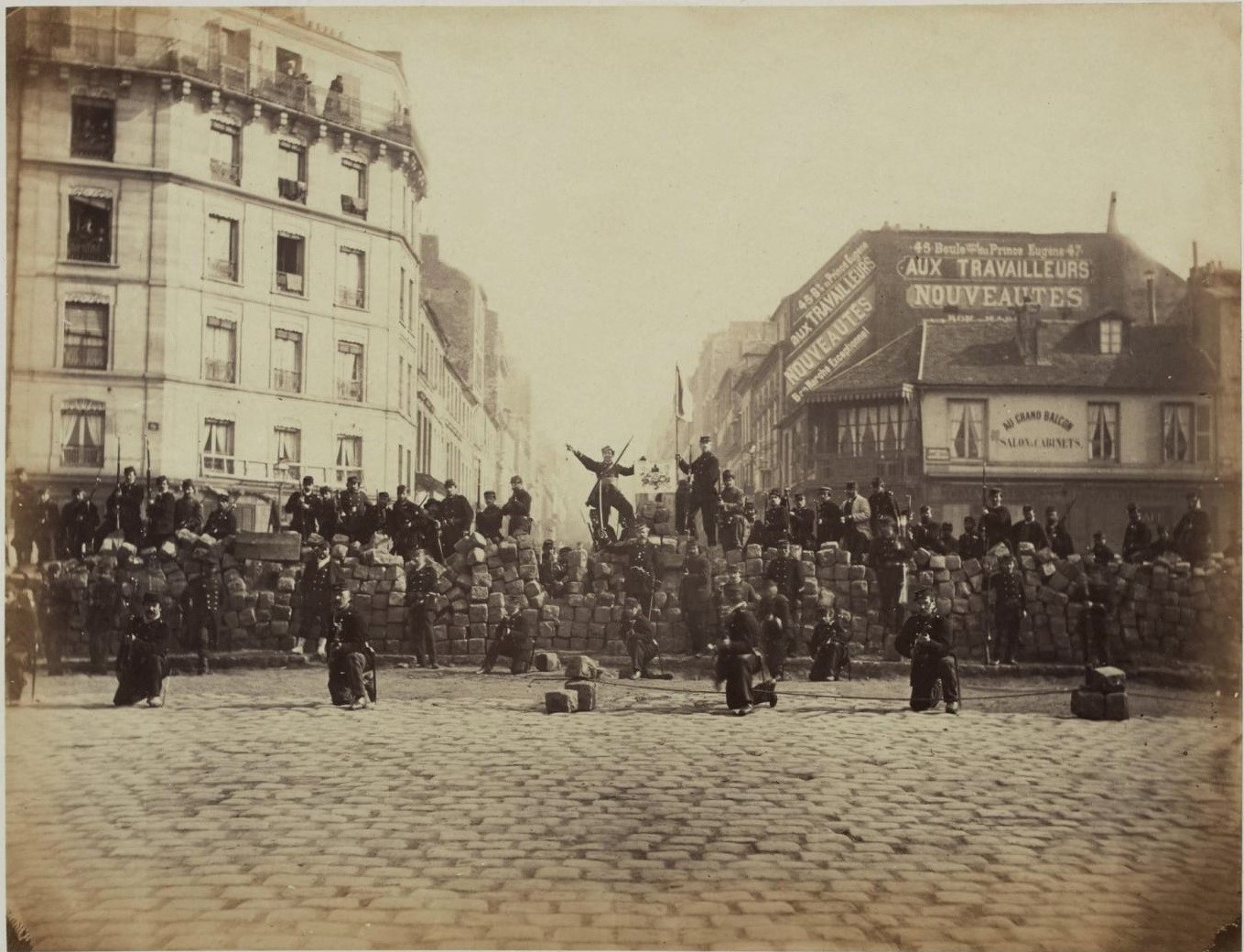
A barricade in the Paris Commune, March 18, 1871.

Do you ever walk into a business and feel unwelcome? Like you don’t belong? Like the people behind the front door or service counter don’t even want to serve you? That is how persons with vision and hearing impairments feel all to often in online environments. Our institutions, as good and well-intentioned as they may be, oftentimes come laden with legacy barricades that would put the barricade shown above to shame. Fortunately, there are steps that can be taken to help provide accessibility to online resources. Read on to learn more.

Our EDTECH 502 class took on the daunting task of discussing accessibility on the Internet this past week. As an academic librarian whose main job is to provide assistance to online programs – and the students taking those classes – I spend a lot of time thinking about how to make the materials I provide more accessible to persons with vision and hearing assistance needs. By breaking down barricades to access, we can ensure that we are making our best effort to provide equitable access to web resources.

Section 508 of the Rehabilitation Act (see an accessibility checklist here) and the Web Content Accessibility Guidelines (commonly referred to as WCAG) are two excellent resources on web accessibility. As accessibility can be achieved through a number of means.

I created the following web page to demonstrate that I understand the practices and principles behind accessible web design. I effectively used CSS, metadata, and color to provide a web page that meets approved industry standards. You may view the page here: http://edtech2.boisestate.edu/lancemcgrath/502/accessibility.html#readability

My completion of this activity demonstrates that I have competency in AECT Standard 3.6 – Diversity of Learners, in that I utilize practices in online materials design that are widely accessible to learners, and Standard 4.5- Ethics, in that I have demonstrated ethical treatment of learners with varying accessibility needs, thereby creating an environment that is intended to be inclusive rather than exclusive.

Leave a comment

Filed under Uncategorized