Category Archives: Standard 4: Professional Knowledge & Skills

Candidates design, develop, implement, and evaluate technology-rich learning environments within a supportive community of practice.

Narrated Presentation

VoiceThread

Follow this link to visit the VoiceThread presentation:
https://voicethread.com/app/player/?threadId=10508084

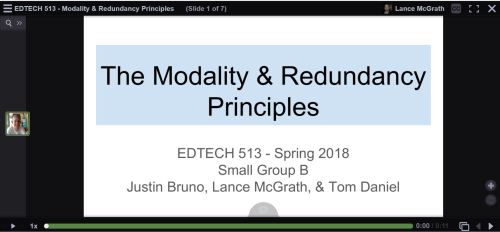
The past two weeks in EDTECH 513 we have been learning about more multimedia principles. Our class broke up into groups for some collaborative work. Each group was tasked with creating a Google Slides presentation, converting it to a PDF, uploading it to VoiceThread, and narrating the presentation. The final product is a multimedia presentation that adheres to the Modality Principle and the Redundancy Principles. Let’s unpack these terms a bit.

The creation of multimedia artifacts that are both visually appealing and pedagogically sound takes time and study. The ability to craft a compelling presentation is not something that happens magically or intuitively. Research-based multimedia principles offer substantial assistance in the development of expertly crafted multimedia content. Two such principles are the Modality Principle and the Redundancy Principles. The Modality Principle states that, when graphics are present, it is best to provide audio explanation rather than printed text. The Redundancy Principles take modality one step further and discourage the use of redundant information in the form of graphics/text/narration. This redundancy causes an overload of the learner’s cognitive channels. This understanding of cognition runs counter to the old wisdom grounded in “learning styles” which, in the case of a presentation, could lead to a potpourri of information with something for everyone: graphics/text/narration. Of course, there are exceptions to these rules, as there are with any stated regulations. In this case, the exceptions are known as boundary conditions.  These exceptions come into play when there are no graphics, when the materials are slower or learner-paced, where there are technical terms, or when the on-screen text is genuinely shorter than the narration.

When I was in high school and college as an undergraduate student, learning styles provided the basis for many sound pedagogical practices. I was presented with many lectures that included lots of text (gotta deliver that content!), an abundance of graphics (because – Hey! – the kids like pretty pictures!), and narration (I’m the teacher. I have to do something). Far from helping me learn better, these practices served to create a lot of psychological noise for me. I would get lost between the graphics, on-screen (overhead) text, and the teacher’s voice. Sometimes the teacher would go off on tangents, thus making it especially hard to know what to attend to.

In the past, I have been guilty of trying to do too much with PowerPoints and other lecture material. I would fade graphics and use smaller fonts in order to cram as much onto a slide as I possibly could. More is better, right? It gives students the option to learn the way that works for them. The ol’ shotgun approach to information delivery. Oh, how wrong I was! Now that I have learned about the Modality Principle and the Redundancy Principles, I can appreciate the value having less on a slide brings to my students, pedagogically speaking. I have begun using less text and, with the text I do provide, I strive to reduce the text to the very essence of what the students need. The adoption of multimedia practices that adhere to these research-based and proven principles will greatly benefit my students.

The creation of this artifact meets AECT standards 1.2 – Message Design, 1.3 – Instructional Strategies, 2.2 – Audiovisual Strategies, and 2.3 – Computer-based Technologies. First, this artifact meets AECT Standard 1.2. As with the multimedia tutorial I created using HaikuDeck, we followed a systematic method in the creation of this presentation. My group collaborated on the draft of the presentation in a Google Doc and used email and commenting to work out the details. We selected images from stock files in order to communicate our message about the Modality and Redundancy Principles.  We also relied on narration instead of text, instead using on-screen text in carefully controlled amounts. The result was a well-designed message that is aligned with research-based multimedia design principles.  Second, regarding Standard 1.3, we utilized the instructional multimedia design principles of the Modality Principle and the Redundancy Principles, making sure to only violate these rules when appropriate based on a thorough evaluation of the relevant boundary conditions. Images were thoughtfully selected and used as the primary means of communication along with narration.  Text on slides was kept to a minimum, except in the case of example slides. Third, Standard 2.2 was supported because of the use of audio and graphics to present a message that is based in solid multimedia research. Fourth, in support of Standard 2.3, we used Google Docs, Google Slides, and VoiceThread, all web-based software applications, to create the presentation. Finally, I distributed it by embedding it on my WordPress blog.

This activity also meets the revised AECT Standards 3.1 Creating, 3.2 Using, and 4.1 Collaborating. 3.1 Creating: Candidates create instructional design products based on learning principles and research-based best practices. I created a multimedia presentation that adhered to the Modality and Redundancy Principles. 3.2 Using: Candidates make professionally sound decisions in selecting appropriate processes and resources to provide optimal conditions for learning based on principles, theories, and effective practices. I used a draft process with my group that involved Google Docs and Slides. Once the drafts were finished, I created a PDF and uploaded it to VoiceThread so my group could add narration and finish the presentation.  4.1 Collaborative Practice: Candidates collaborate with their peers and subject matter experts to analyze learners, develop and design instruction, and evaluate its impact on learners. I collaborated effectively with my group members to analyze the needs of our anticipated learners, developed the instructional presentation that met multimedia design requirements. We also considered the impact our instructional materials, both content and design, would have on potential learners.

Until next time, keep reading!

-Lance


Leave a comment

Filed under 3.1 Creating, 3.2 Using, 4.1 Collaborative Practice, Uncategorized

Try this on for size: Online teaching and the adult learner


(Public domain vintage painting of people working in a tailors shop. http://www.publicdomainpictures.net/view-image.php?image=76581  CC0 License.)


Education is not a “one size fits all” enterprise. There is a lot of customization that takes place. Such is the case with adult learners. During the course of the fall semester, I have been challenged to think about online education for adult learners in my EDTECH 522 class from Boise State University. I learned about best practices in adult learning and andragogy, the study of the methods and principles used in teaching adults, which gained popularity because of the work of Knowles.  Wikipedia has a good entry on this topic. You can read more about it here. I also spent a lot of time working with various technologies, evaluating them for use in online educational settings for adults, and exploring their use through the creation of practical artifacts. I also took time to actively and deeply reflect on my experiences in using these technologies and the impact they had on me as an educator. You can read my other blog posts here: “Mine” place? Or Yours?”   If you build it, will they learn?  Agency and Persistence in Online Education. It has been a rewarding educational journey so far, with time to consider to essential questions concerning my own ideas about teaching adults in online environments related to the literature.

My thoughts in this post turn to two specific questions. First, “What technological knowledge have you learned in this course? What pedagogical knowledge have you learned in this course?” I have gained a substantial amount of knowledge about technology, both about technology itself and its application in educational settings, during this course. I learned how to evaluate online courses using established course rubrics such as the one developed by Quality Matters. Through using this course assessment tool, I have learned how to create my own rubrics for analyzing and evaluating online courses. I used Camtasia  for video editing and created a rich media tutorial. (I have used SnagIt, another Techsmith product. It is basically Camtasia-Lite. I used it to record screencasts, but I never did much post-production editing.) With this knowledge and experience, I will be able to make video tutorials for students that are interesting and engaging, as well as educational. I also used Canvas, a Learning Management System, or LMS (by Instructure), to develop a fully online, robust, multi-module course on copyright issues in higher education for college professors. It is fair to say that I picked up a lot of technological knowledge.

What about pedagogical knowledge? Again, the learning experience for me was rich and rewarding. I learned about andragogy, as mentioned above, the methods and principles used in teaching adults. My professional background is technical and subject specific. I have a high-tech background and was trained as a professional librarian in a Master of Science program. I do not have a teaching certificate. My one formal opportunity to learn about “teaching methods” came from an Educational Psychology class I took in college over 25 years ago. That class was focused primarily on K-12 education, so the main concepts taught had pedagogical (the teaching of children/adolescents) concerns. It was exciting for me to rediscover the research behind learning theory. I was especially impressed by the subtle differences between pedagogy and andragogy and the specific needs that adult learners have. I plan on providing learning activities that are engaging and authentic. The readings from Stavredes, especially those concerning the persistence of adult learners in online environments, were fascinating and encouraged me to build empathy for my students and to work to express that care in online communications.

The second question is this: “Explain how your learning in this course will make an impact on your current or future work. Will any artifacts you created be shared with your students or colleagues?”  The learning I have experienced in this course has already had a positive impact on my current work. I expect it will continue to have an impact in the future. Currently, I am working to polish the copyright crash course for college professors so I can deploy it on our campuses instance of Canvas. I intend to use it for new faculty orientation and as a refresher course for current faculty. I plan on making a formal proposal to the VPAA/Dean of the Faculty at my college with a recommendation that the course be included as part of the continuing education materials for the faculty. I also plan on using what I have learned to develop a copyright course/library orientation for students that is a blended course (one which has both a physical classroom and online component). We will move into a new library with a dedicated library teaching lab and abundant technology in the spring. I plan to use the space for inaugural instruction sessions using the course I created. My strategy will be to use the online course to create a Community of Inquiry that expands beyond Canvas into the physical space on campus and beyond.

In addition to learning how to use Canvas for online course delivery, I also learned how to use other online tools that can be used to populate courses with customized content. For example, I learned about Quizlet. I know, Quizlet? Really?? That’s old news. Perhaps it is old news to all of the K-12 folks out there, but I had not heard of Quizlet until this course. I was exposed to a whole new world of online assessment because of this class. I expanded my learning by exploring other online quizzing tools such as Socrative, Quizizz, and Mentimeter. I will be working with these tools to design formative assessment tools that I can use when delivering both face-to-face and online library instruction. It is pretty exciting!

Overall, I really enjoyed my learning experience in EDTECH 522. The student-student interaction was lively, challenging, and supportive. I learned new material and learned how to use old tools in a new way.  I look forward to using my newly acquired knowledge to help others learn and grow in the digital realm. One size definitely does not fit all, but with proper knowledge and planning, I am confident that I can create and support online learning environments for adults where they can learn and grow.


References:

Stavredes, T. (2011). Effective Online Teaching: Foundations and Strategies for Student Success. San Francisco: Jossey-Bass.

Leave a comment

Filed under 4.3 Reflection on Practice, Uncategorized

If you build it, will they learn?

https://upload.wikimedia.org/wikipedia/commons/c/c1/Kaufman_field.jpg
(Kaufman Field, Evan Featherolf. www.upload.wikimedia.org/wikipedia/commons/c/c1/kaufman_field.jpg)

Allow me to be honest: I am not much of a baseball fan. I know, know. How can I be a true, All-American male if I do not have a love for America’s game? Beats me. I tried playing baseball when I was a kid.  My parents put me in both tee ball and Little League. I wanted so bad to be a hitter. Or a catcher. Something. I ended up being coached to just look tough and not swing at the ball. Oh, and I got to play left field. A lot. I just wasn’t cut out to be a big league slugger. That did not stop me from enjoying the game from time to time. I have been known to take my boys to more than a few bush league games and to watch the World Series. It also did not keep me from developing an appreciation for baseball in popular culture. Take the film Field of Dreams. The quotes from this 1989 Kevin Costner vehicle stick with me. The most famous of these quotes is most likely, “If you build it, he will come.” This quote came to me while I was reflecting on my latest EDTECH522 project, the development of an online lesson.  My mind worked on that phrase and turned it into “If you build it, will they learn?”

The question, you will notice, is not “If you build it, will they come?” because they most certainly will come. A report released in 2015 by Learning House found that, of the 18.6 million students enrolled in college in 2015, around 5.5 million were studying online to some extent, either fully or partially (page 5). That equates to roughly 30% of college students. That is just college students. This number does not take into account the number of high school students enrolled in online courses via concurrent credit or dual-enrollment. The students are most definitely coming to online education. But are they learning? And how can I, as an educator with training in the design and delivery of online education, facilitate the learning process?

These are some questions that I found myself facing as I reflected on my experience in designing and creating my online course. I utilized ideas from the readings in my EDTECH 522 class to help formulate a plan to develop the course. First, I considered a topic that I had good reason to believe would be of interest to adult learners. I talked to my coworkers and settled on a class on copyright for faculty at the school where I work. It is an area that is complex and in constant flux. It is also a topic of high interest among the members of the faculty.

The second concern was making sure that I ensured the learners would be successful in engaging with the material. I utilized techniques that would create a high degree of presence in the class. This included deliberate measures to facilitate student-content, student-student, and student-instructor presence. In order to foster interaction with the content, I created authentic assignments that encouraged students to actively play with the course material. I provided students with the opportunity to create artifacts with Web 2.0 tools they could use with their students later on (virtual magazine covers on public domain and an electronic poster on copyright factors).  I came back to readings from Stavredes on building a community of inquiry.  I also provided multimedia content to encourage engagement with the course content. I took guidance from Baldwin & Ching and incorporated graphics and pacing to draw students into a learning story. The modules were possibly not a pure form of “interactive storytelling.” However, I drew inspiration from their writing nonetheless.

Third, I used what I have learned about rich media tutorials to create effective and engaging instructional videos for the class. I took guidance from Ruffini and created a personalized PowToon animated video introduction to the course.  The video helped to establish my presence in the class as the instructor and to begin building toward a community of shared inquiry. I also employed other strategies to engage the students in the course. Class discussions provided for the students to build social and cognitive presence. The course is neatly organized and humanely paced in order to allow adequate time to process concepts, interact with other learners, and engage with the instructor.  I also followed the visual design principles of CARP (contrast, alignment, repetition, and proximity) in order to create a welcoming and accessible learning environment. One major decision I made early on was the choice to use Canvas instead of Moodle. The school at which I work uses Canvas exclusively, so I knew it would be important to use the learning management system with which the learners would be most familiar and expect to use in the future.

The most difficult challenge I encountered while creating this course was keeping the technology from getting in the way of the learner. Every design decision I made had kept the learner at the center. I constantly asked myself, “How will this decision help the learner achieve the course learning objectives?” While this was a very real challenge, the focus on the learner also kept me from getting distracted by the bells and whistles of technology.  The one problem I ran into was a small irritation: Canvas kept trying to automatically embed a YouTube video that the rights holder had disabled so that it could not be embedded.  I checked the customer support area for Instructure/Canvas and found the answer I needed right away. Canvas was very easy to use. To be honest, I experienced very few problems.

I have taken many online classes over the years, going back to 2003. During that time, online education has changed dramatically. The development of Web 2.0 tools has been a huge boon to those involved in online education and I have been in the thick on online education the whole time. That said, I have never created an online class from scratch before.  It was an enlightening experience. There is a great degree of planning that has to take place prior to course launch. The online environment does not allow for on-the-fly adjustment and winging it that can take place in a face-to-face classroom. Prepare. Prepare. Prepare. And then prepare some more. This led to the most rewarding aspect of the project, which was receiving positive feedback from classmates who reviewed the course. Receiving critical feedback that affirmed my design choices and course content was incredibly fulfilling.

So, I can build it. And, if I continue to use sound andragogical principles and instructional strategies, the students will learn. And that is a home run.


References:

Baldwin, S., & Ching, Y. (2016). 5 Features to turn your online course into interactive storytelling. eLearning Industry.com.  https://elearningindustry.com/5-features-turn-online-course-interactive-storytelling

Clinefelter, D. L., & Aslania, C. B. (2015). Online college students 2015: Comprehensive data on demands and preferences. Louisville, KY: The Learning House, Inc.

Ruffini, M. (n.d.). Screencasting to Engage Learning. EDUCAUSE Review online. http://er.educause.edu/articles/2012/11/screencasting-to-engage-learning

Stavredes, T. (2011). Effective online teaching: Foundations and strategies for student success. Jossey-Bass.

2 Comments

Filed under 4.3 Reflection on Practice, Uncategorized

“Mine” place? Or Yours?: Social Media Tools and Building Presence in Online Courses

https://i0.wp.com/img15.deviantart.net/e21e/i/2016/134/f/0/medieval_village__large_house_by_spasquini-da2f9dt.png

Medieval Village: Large House. By spasquini https://spasquini.deviantart.com/art/Medieval-Village-Large-House-608732993

My boys love Minecraft. Well, at least they did when they were younger. Now they enjoy playing it with their little sister. Minecraft, if you are unfamiliar with it, is an online virtual world that can be played in different modes, the two most common being survival and create.  The point of the game is to “dig, build, and survive” (in survival mode).  The game delights in its pixelated graphics, an homage to early gaming culture (think Mario Bros. and Pac-Man).  Creators take great pride in creating elaborate mazes, fantastical structures, and replicas of actual buildings. My boys would spend hours designing precise floorplans for their homes and bases in Minecraft. I wish I had Minecraft to play with when I took drafting and mechanical drawing in high school. As I ventured through the course materials for the most recent module of the adult online learning class I am taking at BSU (EDTECH 522) I kept thinking of Minecraft.

Let me tell you why.

Module 3 in EDTECH 522 tackles the topic of online learning tools, which take advantage of Web 2.0 technology. Web 2.0 is not a standard per se, but refers to the shift from static pages to dynamic content. Think Facebook, Twitter, blogs, Pinterest, YouTube, and all those other apps and sites that enable the easy creating and sharing of information. These are fun, engaging, and exciting tools that help us connect to family, friends, coworkers, and strangers all at the click of a button and the typing of some keys. Educators seeking to innovate and provide learning environments for their students in the digital age (or the information age, if you prefer) use these same tools for educational purposes. They intentionally use the same tools used by your grandmother to share cat videos and your uncle uses to tweet about the Cubs to create educational content and support learners in online classes. So what does this have to do with Minecraft? Educators must be as thoughtful in planning and developing online classes, including the online tools they will use, as Minecrafters must be in building their amazing structures. Sure, anyone can go into create mode in Minecraft and mine away with abandon, but it takes focus, vision, and a plan to create a fine building with complex mazes, trapdoors, and hidden chambers. The same is true for educators developing and working in online classes.

Part of the planning for this module, from the student perspective, required substantial reading from two books: Chapters 11-14 in Stavredes’ Effective Online Teaching Foundations and Strategies for Student Success and Chapters 6 & 9 in Ko & Rossen’s Teaching Online: A Practical Guide 4th ed. The chapters from Stavredes focus on building a community of inquiry model as it is applied to online learning environments. Stavredes focuses on the concepts of cognitive presence, which “is developed when learners share their multiple perspectives to construct knowledge” (107), social presence, which “establishes learners as individuals and, through the process of relationship building, allows learners to engage in a community of inquiry” (131), and instructor presence, which is the manner in which the instructor interacts with the learners directly, the example the instructor sets for the class, and the processes the instructor establishes for the facilitation of communication among the course participants. As Stavredes states, “(t)he quantity, timeliness, and quality of (instructor) interactions with learners are critical to helping them persist in the course and achieve the course outcomes” (151). Stavredes also provides practical guidance on how to achieve success in bringing merging these three forms of presence. Ko & Rossen offer more practical details. All of which prove quite valuable in navigating the whys and hows of constructing and online course. I found all of this information to relevant to my coursework for the week: Evaluating a social media tool and considering its value in online education.

I chose to review and evaluate Quizlet, a popular online flashcard application. As I worked through the assignment, I thought about my online learning experiences going back to the late 1990s. I would have loved to have an app like Quizlet to help me study for Microsoft certification exams. Later on, when I was taking classes in library and information science, I would have been very grateful to have access to the same app when studying information access and retrieval and the history of librarianship. I could see how the flashcard app, with its customizable cards (students can create cards, as can instructors. There is also a live mode that facilitates collaboration!) could be used to increase social (through creating and sharing personalized decks) and instructor (through instructor narrated/created decks for class) presence, and, to a lesser extent, cognitive (by using the decks to construct a meaningful study pack) presence, in an online class. I considered how a tool like Quizlet, and many others, could be integrated into Canvas, the learning management system (LMS) in use at my school, and other online course platforms. Ko & Rossen reminded me that I needed to become more aware of what Canvas can do and what software it supports. “While you can make a start with basic knowledge of you LMS or other tools available at your institution, a deeper familiarity is only gained from actual use” (138).  I cannot just grab a bunch of resources off the Internet, slap them into a Canvas course shell, and expect students to learn. I need to take a thoughtful, informed, measured approach to incorporating online learning tools into a well-designed digital classroom. The Paul-Elder Critical Thinking Framework, referenced in Stavredes (110-111), sets standards that can be used in order to help inform the creating of online courses that build deep presence. I found this discussion of foundational theory very applicable to my work as an educator, both online and face to face.  Also, if I want to have authentic learning experiences for my students in an online class, I can employ problem-based learning, which is described in detail by Stavredes. I thoroughly enjoyed reading about all of the practical measures proposed by both Stavredes and Ko & Rossen.

But what impacted me the most was Stavredes’ discussion of learner-to-learner discussion forum interactions. I was especially impressed by the work of Brookfield and Preskill and their description of the type of disposition learners should possess in order to engage in fruitful online discussions. The “dispositions include hospitality, participation, mindfulness, humility, mutuality, deliberation, appreciation, hope, and autonomy” (135). While I try very hard to practice this disposition (just good manners, right?) in my daily interactions with others, both online and face to face, I have seen that many people do not act in a similar manner. I understand, through the readings from Stavredes and others, that the it is incumbent upon the instructor to set this tone in the online class and, because of transactional distance, the space the student feels in the online environment, it can be difficult to do. Thankfully, with the appropriate and thoughtful use of social media tools, I, as an instructor, can build a bridge (much like my boys used to do in Minecraft) that spans the transactional gap and eases the participation of the learners on their journey as a community of inquiry.  Hopefully, we can move from “mine” place and your place to our place in our online learning communities.


References:

Ko, S., & Rossen, S. (2017). Teaching online: A practical guide. Taylor & Francis.

Minecraft. Wikipedia. https://en.wikipedia.org/wiki/Minecraft

Quizlet. www.quizlet.com

Stavredes, T. (2011). Effective online teaching: Foundations and strategies for student success. Jossey-Bass.

University of Louisville, Delphi Center. Ideas 2 Action: Paul-Elder Critical Thinking Framework. http://louisville.edu/ideastoaction/about/criticalthinking/framework.

Web 2.0. Wikipedia. https://en.wikipedia.org/wiki/Web_2.0


1 Comment

Filed under 4.3 Reflection on Practice

EDTECH 522 Reading Reflection: Agency and Persistence in Online Education

Persistence
Image credit: Flickr user bdunnette. Creative Commons license.

Agency and Persistence in Online Education

The following post addresses to topics from my EDTECH 522: Online Teaching for Adult Learners class. The interconnected topics are:

  1. Where are you on the Grow’s Staged Self-Directed Learning Model described in Ch. 2 of Stavredes? What is the implication of this model for you as an online teacher?
  2. Discuss challenges that affect learners’ persistence in online course and relate these challenges to your own online teaching or learning experiences.

Persistence. As a resident of the Intermountain West, this term conjures up images of rugged mountain men, pioneers in wagon trains, and roughnecked railroad workers. These are the men and women who built the cities in which we currently live. As a parent, persistence reminds me of my children and the time they spend learning new skills. Whether it is getting that coloring page just right, or stacking the block tower just a tad bit higher, or playing that video game level one more time in order to beat the boss at the end, these all exemplify persistence. Persistence is also found in schools, where students are presented with professionally crafted learning opportunities designed to stimulate the brain and foster academic growth. These opportunities can present very real challenges for students as they grapple with the material, especially if they are more authentic in nature. In a face to face classroom, when the going gets tough, the student can seek help from the teacher or aide, who can, by their physical presence provide an immediate sense of support and encourage the student to persist. In an online environment, the challenge to persist can be much more difficult. In a 2016 report for the American Society for Engineering Education, Ferdousi references persistence and retention statistics between undergraduates in traditional classes versus those in online classes. According to the research, the “student dropout rate for online undergraduates ranges from 20% to 50%, which is 10% to 20% higher than traditional classroom environments” (2). How can we understand student behavior and support them? It will help to reflect on my own personal development as a learner as I consider my role as an instructor in online learning.

One factor that affects student persistence in online learning environments is a student’s development along Grow’s Staged Self-Directed Learning Model (SSDL). Grow’s proposed model presents four levels of self-direction which can be influenced by instructors in order help students develop through the stages and become more self-directed learners. Stavredes provides a detailed explanation of the SSDL model in the book Effective Online Teaching: Foundations and Strategies for Student Success. The stages of SSDL are 1) Dependent learner; 2) Interested learner; 3) Involved learner; 4) Self-directed learner. Each stage represents the amount of instructor support required by the learner. As the learner develops more agency, the need for instructor diminishes. At the Dependent learner stage, for example, the learner “has little prior knowledge in the subject, is unsure of the focus of his or her learning, and has low self-confidence and motivation” (15). At this stage, the instructor is regarded with high authority. As the learner moves to the second stage, the interest in learning increases even though prior knowledge remains relatively low. The instructor assumes a role as more of a motivator through the learning process. As the learner moves to the third stage, the instructor’s influence lessens further, while student autonomy grows. In the fourth stage, the student has developed skill and knowledge in the content area, and is confident, motivated, and capable. The instructor role evolves into one of consultant or course guide (16-17).

So where am I on along Grow’s SSDL model? In the area of online teaching and learning, I rank myself solidly in the fourth stage of development. I am a self-directed learner. I have been taking online classes off and on since 2003. I successfully completed a fully online master of science degree in library science in 2006. In 2005, when I started my first job as an academic librarian, I began supporting students in fully online programs across multiple disciplines (MSW, MBA, Religion, and Education, to start). I received mentoring from a skilled Instructional Designer and Educational Technology Director. In time, I was invited to a seat on the E-learning Committee, where we evaluated programs and initiatives. I worked my way up the higher education ranks and was granted tenure at my current institution, where I hold the rank of associate professor. The MET program at BSU is my second masters level program. I am a highly motivated and self-directed student. I persisted through life, work, and educational challenges. Good for me! However, I realize that not everyone is like me. I need to be aware of where the learners I work with are at on Grow’s SSDL model so that I can appropriately support them and make the educational process accessible to them. This means designing classes in ways that provide the maximum opportunity for students to develop and grow. I need to constantly evaluate my work as an online instructor and take student feedback seriously so I can revise courses or assignments accordingly. My willingness and ability to provide rich learning environments that are thoughtfully and appropriately crafted with the student in mind will provide the support they need to help them persist.

Stavredes and others also write about challenges that affect the persistence of students through their programs of study. It is important to note a distinction between retention, which measures an institution’s ability to retain students from entrance to degree completion and graduation. Persistence is internal to the student. According to Stavredes, “(p)ersistence refers to learners’ actions as they relate to continuing their education from the first year until completing their degrees” (22). For example, a student could transfer to another institution and complete their degree. This would adversely affect the university’s retention rate while positively impacting the student’s persistence rate. A student’s inability to persist, and by extension, remain with the institution (retention) has many costs. Tinto (2006) observed that the costs to the learner extend to lost time, financial expense, and a loss of self-confidence. The impact is not isolated to the learner; the institution is also adversely affected by students who fall into this category.

Research has been conducted on the persistence of both traditional and nontraditional/distance education learners. In seeking to understand distance or online education learners, Stavredes focuses on two models: The Bean and Metzner Persistence Model; and the Rovai Composite Persistence Model. Bean and Metzner’s model, developed in 1985, is a bit dated. Rovai’s model is nearly twenty years newer and is much more applicable to understanding learners who take online classes. Both, however, provide valuable insight into the challenges faced by online learners. First, students have stressors outside of the control of the institution. These include finances, family, and work, among others. Rovai further breaks down barriers to persistence into pre- and post-admission categories. Pre-admission variables include student demographic information and the skills they posses. Post-admission variables include external factors such as finances and life crises, and internal factors such as study habits and learning style (26). Willging and Johnson (2009) summarized that the reasons why students choose not to continue in online education environments are “complex, multiple, and inter-related” (4).

I face the many of the challenges that confront other online learners. I have substantial work pressure. We are building a new library and I am supervising the move to the new building in January, 2108. I also have regular work duties to attend to and have to assume new tasks since one of our employees retired suddenly this summer and another staff member is on maternity leave. Plus, the start of a new academic year is stressful. Fortunately, my family life is quite stable. That is not to say there is not stress. My wife is enrolled in a doctoral program, my eldest son is a college freshman, and our grade-school age daughter has some developmental challenges. I also have aging parents. I am also active in my church and community. While I enjoy participating in community life, the activities do require an investment of time and that cuts into the amount of time I have for school work. I am fortunate that I have solid computer skills and that my demographic profile bodes well for me as far as higher education pursuits go. That said, I am very empathetic to the needs of other learners. The awareness of the potential persistence barriers that others face will help me to be a compassionate and mindful instructor in online learning environments.

References:

Ferdousi, B. (2016). Addressing student persistence and retention issue in online classes. Proceedings of the 2016 ASEE North Central Section Conference. Retrieved at http://people.cst.cmich.edu/yelam1k/asee/proceedings/2016/faculty_regular_papers/2016_ASEE_NCS_paper_49.pdf

Stavredes, T. (2011). Effective Online Teaching: Foundations and Strategies for Student Success. San Francisco: Jossey-Bass.

Tinto, V. (2006). Research and practice of student retention: What next?. Journal of College Student Retention: Research, Theory & Practice, 8(1), 1-19.

Willging, P. A., & Johnson, S. D. (2009). Factors that influence students’ decision to dropout of online courses. Journal of Asynchronous Learning Networks, 13(3), 115-127.

1 Comment

Filed under 4.3 Reflection on Practice, Uncategorized

Minding your manners

File:Table Manners in the Nursery.jpg

Image title: “Table manners in the nursery” (circa 1916). Source: https://commons.wikimedia.org/wiki/File:Table_Manners_in_the_Nursery.jpg

This week in EDTECH 502 we contemplated the nature of etiquette and protocol on the Internet. The common term applied to this intersection of humanity and technology is “netiquette.” Since I work primarily with college age students who have spent a great portion of their lives, presumably, on the Internet or connected to other humans via advanced networked technology, looked forward to working on this project. Generally, the students with whom I interact are decent human beings. But that does not mean that they are always on their best behavior or that they will not not likely encounter another person who is having a bad day and lashing out at others. I set out to devise a list that students could use to guide their interactions with each other in the online world, whether it be in a formal online class, email, or on social media. I considered the manners I was taught as a child, the lessons I learned in Sunday School and in Boy Scouts, and from a few netiquette resources for online courses. In the end, I generated a solid list of best practices for online interactions. Here is a link to the page I created as a resource for my students.

http://edtech2.boisestate.edu/lancemcgrath/502/netiquette.html

Thanks for reading! And remember: Be good to each other. A little niceness goes a long way.

This activity meets AECT Standard 4.5: Professional Knowledge and Skills – Ethics. By completing this activity I have demonstrated competence in this content area.

Reference:

University of Florida (2012). Netiquette guide for online courses. Retrieved from http://teach.ufl.edu/wp-content/uploads/2012/08/NetiquetteGuideforOnlineCourses.pdf

Leave a comment

Filed under 4.5 Ethics, Uncategorized

School Evaluation Summary

shutterstock_53700325

I thoroughly enjoyed working on this artifact for EDTECH 501. It was definitely a detailed and involved assignment that really grabbed my interest. The Maturity Model Index is an evaluation tool for use in analyzing the technological maturity of an organization. The five primary filters help the user analyze an organization based on the following functions: 1) Administrative; 2) Curricular; 3) Support; 4) Connectivity; and 5) Innovation. I found that my organization, a university, ranked very strongly on many levels. I was not surprised to learn that the school ranked very well in the Support category. The policies, procedures and people in technology support at my school provide fantastic support for our staff. The combination of these three components provide the basis for a strong use of technology on my campus. See the embedded Scribd document and the linked Google spreadsheet for the full analysis.

By completing this exercise I demonstrated competence of AECT Standards 4.2, 5.1, 5.2, 5.3, and 5.4. My evaluation of the institution and its various resources exemplified the Resource Management component of Standard 4.2. The analysis of those areas which were a bit weak and ranked at Integrated demonstrated Problem Analysis of Standard 5.1. My use of the Maturity Model represented Criterion-Referenced Measurement as indicated in Standard 5.2. The construction of the spreadsheet and the report provided Formative and Summative Evaluation as per Standard 5.3. And, finally, the depth of knowledge acquired during the process and the production of this report provide evidence of Long-Range Planning as per Standard 5.4.

Google Spreadsheet_School Survey

2 Comments

Filed under 3.4 Managing, 4.2 Leadership, 5.3 Assessing/Evaluating, Standard 3: Learning Environments, Standard 4: Professional Knowledge & Skills, Standard 5: Research

Digital Inequality Assignment

The most recent assignment for EDTECH 501 involved a collaborative project with my core group.  We were assigned a scenario with the task of consulting with a superintendent of public instruction on how best to invest a special allocation of funds to address digital inequality issues the imagined state.  Specifically, we were asked to evaluate seven possible solutions to digital inequality, rank them and provide an accompanying rationale. In addition, we were asked to provide an overview of the terms “digital divide” and “digital inequality” and to provide any additional solutions our group came up with.  Our group chose to focus our attention on Tennessee as one of our group members resides there. We wanted to focus our project and create a realistic final product.

During the course of our project we used a variety of online tools to collaborate.  Our group members were spread across the United States from Idaho to Tennessee and as fa north as Canada so a face to face meeting was out of the question. Tools available from Google were our preferred method of collaboration.  We used Google docs to create a document defining the rankings for the various options and to create a spreadsheet to track member roles and responsibilities.   A Google form helped to assess the opinions of the group members regarding the ranking of options and their feasibility.  Google Hangout allowed for our group members to meet in a synchronous environment to discuss progress and development of the project and to edit the document on the fly.  Google Presentation served as the primary vehicle for the project.  This presentation tool allowed for synchronous communication via chat, simultaneous editing by multiple users and asynchronous communication via comments that could be easily placed on individual slides.  Email was a good standby for asynchronous communication.  It was exciting to see a whole presentation come together with team members spread over a wide geographic area!

But this also led me to reflect on the concept of digital inequality.  As a librarian, I have had some experience with the terms “digital divide” and “digital inequality” in my graduate studies.  The term digital divide basically means people who have technology and those who do not.  It is a binary understanding of an issue that is actually quite complex.  When I was matriculating through graduate school the digital divide was still very much alive.  A decent computer was fairly expensive, a couple thousand dollars, and broadband internet access was a significant monthly cost.  Since computers were so expensive many people did not have them and, if they did, they probably were not connected to the internet or were on dial-up access.  (How well I remember the days of “dinner-time downloads.”  These were files that took so long to download that I would start a download before making dinner and hope that it would be completed by the end of dinner.)  The term “digital inequality” takes into account the complexities associated with the digital divide.  Digital inequality recognizes that there are many factors that come into play: age, race, gender, education level, socio-economic status and geographic location, among others.  The writings of DiMaggio and Hargittai provided some excellent background on both of these key terms.  I also came across very good resources with an international perspective that, while not especially relevant to the state of Tennessee, allowed me to gain an understanding of digital inequalities with a global scope.

I work at a private liberal arts university and the assumption is that students will have all of the technology that they need.  I have found this to not be the case.  Many students require assistance with basic computer applications, some do not have their own computers and others have limited information literacy skills.  It is important to provide remedial computer skills workshops, maintain student computer labs with accommodating operating hours and training in order to develop skills associated with the successful and appropriate processing of information in a digital age.  We provide many of these services already, but keeping the needs of students in mind will help me to see and be able to address issues of digital inequality.

It is important to consider the impact of any decisions involving technology on the people involved.  The ethical use of technology requires that any decision be carefully considered and that all aspects (social, economic, educational, etc.) be included in the understanding of the issue at hand.  Issues involving people rarely have simple origins.  For example, it is pointless to give computers to people who do not have enough education to know how to use a computer to enhance their lives.  Both the technological and educational needs must be met to a satisfactory degree.  Also, spending large amounts of money to upgrade telecommunication infrastructure and consolidating the resources in an area that serves an area that is primarily wealthy with little chance of access by those of a substantially lower socio-economic status would be a technology solution fraught with ethical concerns.  Only through a thorough knowledge of the technical issues and a strong measure of compassion can issues of social inequality, digital or otherwise, hope to be resolved.

This assignment addressed multiple AECT standards. The use of multiple technologies such as email, chat, cloud documents for collaboration, and Google Hangout for synchronous communication support Standard 2.4 – Integrated Technologies.  The creation of a collaboratively planned presentation to encourage and promote the innovative use of instructional technology by a state agency to address issues of digital inequality support both Standard 3.2 – Diffusion of Innovations and Standard 3.4 – Policies and Regulations.  The evaluating and ranking process for the options demonstrates support for Standard 4.2 – Resource Management.

Overall, this was a challenging and rewarding project that stretched my project management skills.  I am used to collaborating with others using email, Adobe Connect, Skype and other technologies, but I do not usually work under such short timelines.

Onward!

Sources:

3 Comments

Filed under 2.5 Ethics, 3.2 Using, 4.1 Collaborative Practice, Standard 2: Content Pedagogy, Standard 3: Learning Environments, Standard 4: Professional Knowledge & Skills